



















.png)
Campaign management is made up of dozens of small decisions. Which sources need attention? Why has delivery slowed down? Which creative is producing the strongest CTR? Should the bid be adjusted? Is the postback configured correctly?
Kadam has been developing AI tools to make these decisions easier to handle. The company recently launched its MCP server, which allows external AI agents to connect to the platform’s capabilities through compatible AI tools.
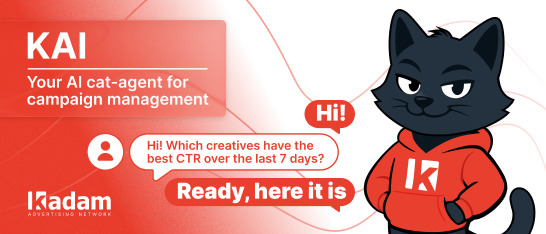
The next step is KAI, a built-in AI cat-agent for campaign management. It is available directly in the Kadam interface and works with both text and voice requests.
Users can ask KAI to review campaign data, check settings, investigate performance changes, work with creatives and traffic sources, or help with technical tasks such as postback configuration and API requests.
KAI turns everyday campaign tasks into a direct conversation: describe what needs to be checked or changed, and the assistant will help find the relevant data, explain the issue, or prepare the next action.
How KAI Works
KAI works with campaign data, account settings, creatives, sources, bids, auto rules, tracking, and other platform features.
Users can ask questions such as:
“Why is my campaign not getting impressions?”
“Which sources spent budget without conversions?”
“Which creatives had the best CTR over the past seven days?”
“How do I set up postback with my tracker?”
“Help me write a GET request for campaign statistics.”
Depending on the request, KAI can retrieve data, review campaign parameters, explain possible causes of an issue, ask for missing details, or suggest what to do next.
Campaign Setup and Management
KAI can assist with campaign creation and configuration.
Users can specify the ad format, GEO, budget, payment model, targeting, and other settings through a conversation. If important information is missing, the assistant can ask follow-up questions and help complete the setup.
Kadam supports native, push, banner, popunder, in-page, and video formats, along with flexible targeting, individual bids by source, auto rules, and blacklists and whitelists.
KAI gives users a simpler way to work with these tools through direct requests.
Statistics and Campaign Analysis
KAI can retrieve key campaign metrics for a selected period, including impressions, clicks, spend, conversions, CPA, and CTR.
Users can request breakdowns by campaign, GEO, format, source, or creative.
For example, KAI can show which GEO has the lowest CPA, which sources are spending without conversions, or which creatives are generating the strongest CTR.
This gives users a clear starting point for analysis and helps them focus on the areas that need attention.
Campaign Diagnostics
Delivery and performance issues can come from different settings and conditions.
A campaign may have a low bid, narrow targeting, limited available volume, or a creative that is still under moderation. Performance can also change because of source quality, conversion rate, creative response, or spend distribution.
KAI helps review these factors and narrow down the possible cause.
Users can describe the issue in their own words, and the assistant can check moderation status, targeting, bid levels, campaign limits, and other relevant settings.
Source and Bid Optimization
KAI can work with source-level data and help users identify traffic segments that may need attention.
It can find sources with spend but no conversions, compare results across placements, and highlight areas where bids, targeting, blacklists, whitelists, or auto rules may need to be reviewed.
Based on account data, KAI can suggest actions such as adjusting a bid, excluding an inefficient source, changing targeting parameters, or updating an auto rule.
The user remains in control of the final decision, while KAI helps bring the relevant information together.
Creatives and A/B Tests
KAI can help users manage creatives, review parameters, update statuses, and compare performance.
The assistant can analyze creatives by CTR, conversions, CPA, and other available metrics. It can also help organize A/B test results and show which variations may deserve further testing or scaling.
This is useful for teams working with multiple concepts, formats, and localized versions across different GEOs.
Monitoring Active Campaigns
KAI can help users follow changes in campaign performance.
Requests may focus on campaigns where CPA has increased, CTR has declined, conversion volume has changed, or spend has moved outside the expected pace.
The assistant can surface the campaigns and metrics that require attention, making regular account reviews easier to manage.
Postback and API Support
KAI also supports technical tasks connected to campaign management.
Users can ask how to configure postback with a tracker, which parameters are required, or how to review the setup.
The assistant can also help prepare API requests, including GET requests for retrieving campaign statistics.
These capabilities can support teams working with external trackers, attribution systems, custom reports, and internal automation.
Who Can Use KAI
KAI is currently available to Kadam advertisers, from users preparing their first campaign to experienced teams managing traffic across multiple GEOs, sources, and formats.
New users can ask questions about campaign structure, targeting, formats, and settings. Experienced teams can use KAI for analytics, diagnostics, source management, bids, creatives, optimization/ and more.
Access for publishers will open later on this week.
KAI is already live in Kadam. Put a task and see how it fits into your campaign workflow.








.png)
















.png)